
AI in the Workplace: What HR Needs to Know About the AI Skills Gap
WHAT’S INSIDE
I want CliQ Updates!
Whether you are tired of reading about AI or are excited for the future of work, AI tools seem to be here to stay. The only problem? Many professionals do not yet know how to use AI technologies to their full potential. In other words, there is an AI skills gap.
As a human resources (HR) leader, filling that gap might feel overwhelming. You are like a bridge between expectant employers and nervous employees, with pressure on both sides. This detailed guide will equip you with information on exactly what the AI skills gap is, the main AI skills that workplaces need, and some challenges of AI initiatives. Most importantly, we will clue you in on how to fill the AI gap with confidence.
What Is the AI Skills Gap?
The AI skills gap refers to the disconnect between businesses’ needs to adopt AI to stay competitive and the skills employees have to use it effectively. In 2024, 96% of C-suite leaders expected AI to boost productivity, yet 77% of employees using AI said it actually increased their workload.
Today, your team might seem to have a better grasp on AI, but there is a difference between AI literacy and AI proficiency. AI literacy means understanding how AI technologies work and what they can do. AI proficiency goes a step further and includes the ability to confidently apply AI tools to everyday work, automate repetitive tasks, analyze data, and support decision-making.
Before your workforce can make the most of AI, there’s one important question to answer: Which skills does your team actually need?
5 Artificial Intelligence Workforce Skills
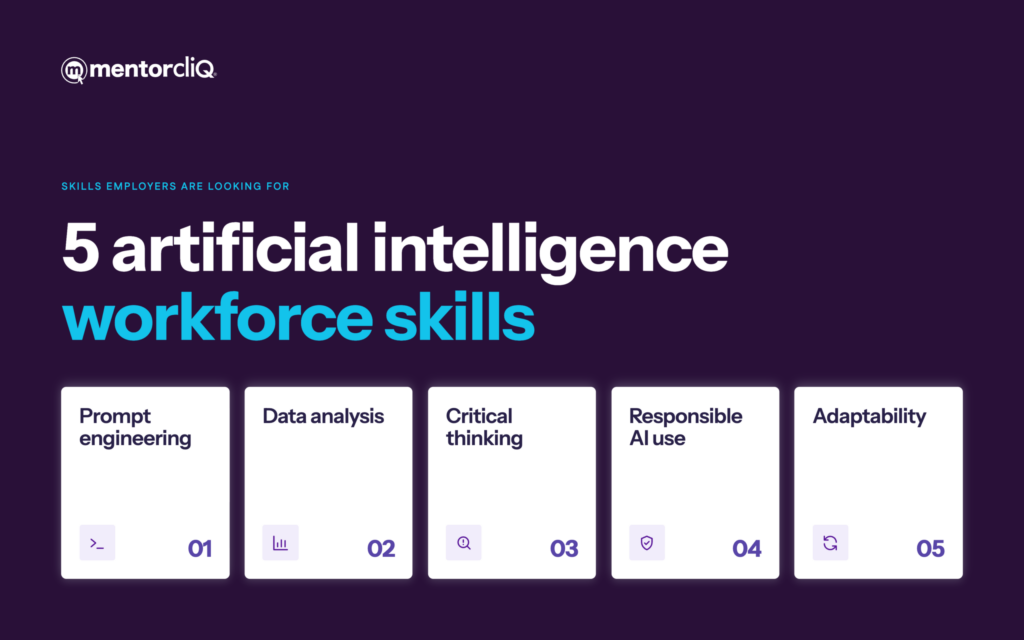
AI systems come with plenty of new skills to learn, and this is likely to increase as AI tools become more sophisticated. Right now, though, the following five skills are some of the most common and useful skills employers are looking for.
1. Prompt engineering
Developers input code with the expectation of a certain output. Prompt engineering is similar: a kind of detailed input that creates the AI response. It isn’t only about asking your AI model a more detailed question, though. It’s about structuring the request in a way that increases the likelihood of useable data.
For example, a graphic designer who asks an AI tool to create an image for a marketing campaign might not get very far with a vague prompt like “create a promotional image.” That could come out with just about anything! If her prompt specifies the audience, visual style, and intended message, it will give the AI a much better starting point.
2. Data analysis
AI tools can analyze huge amounts of data in seconds, but knowing what to do with that information is another skill entirely. Data analysis is where real skills and experience come in. Machine learning models, for instance, can identify patterns, detect anomalies, and make predictions. But which patterns are relevant for your organization? Only an experienced member of your team can say.
3. Critical thinking
Critical thinking runs on a similar theme. AI can produce some pretty convincing answers, but convincing doesn’t always mean correct. Contrary to popular belief, AI is not a magical information machine that never makes a mistake. Critical thinking means an ability to question the information, recognize potential errors, and decide whether the output actually makes sense in the context of your work.
4. Responsible AI use
Just because AI can do something doesn’t always mean it should. Take a marketer who uses generative AI to produce a client-facing report in record time. It looks complete, and they’re ready to hit send, but there’s a glaring problem: nobody has checked whether the AI-generated statistics are actually true.
The Santa Clara Markkula Centre for Applied Ethics reports that 44% of survey respondents believe that AI has reduced the trustworthiness of information available on the internet. Knowing how to use AI ethically and responsibly is essential for organizations that want to remain reputable.
5. Adaptability
According to the World Economic Forum’s Future of Jobs Report 2025, 67% of employers want to see resilience, flexibility, and agility in the workplace. No wonder! The work landscape is changing so fast that we might as well have travelled through time. It can sometimes feel surreal how quickly technology has advanced in the last year alone, let alone the last decade.
Challenges of AI in the Workplace
Big change can come with big resistance. It’s no surprise then that implementing AI in the workplace comes with challenges. These can be broken down into three main components: lack of training, lack of time, and lack of support. Here we go…
Learning AI takes time.
AI promises to create productivity gains and save time, but there’s a catch: learning how to use it takes time, too. It’s basically a case of new technology with the same human brains. Even though two-thirds of regular AI users reported greater job satisfaction, 41% experienced increased cognitive load, according to BCG’s 2026 research.
We’re not machines that can download a software update and instantly acquire new skills. Your team needs time to experiment, make mistakes, and build confidence. Employers understandably want to introduce new technologies to improve workflows, but pushing employees to adapt too quickly can create unnecessary stress.
Employees lack training to use AI well.
It isn’t only team members who lack AI skills development. A 2026 Gallup article reports that 50% of chief human resource officers (CHROs) are not confident that managers are able to guide employees on how to use AI at work. And if they haven’t had training, why should they be? Even experienced business leaders need training before they can effectively mentor others.
Poor organizational support creates uncertainty.
There’s no use in being told to embrace AI without knowing which tools you’re allowed to use, what information you can share, or how your role might change. Perhaps part of the problem is that even your senior leaders don’t yet know which AI tools are the best fit for your organization. In fact, BCG found that only one-third of frontline employees believe their organization’s leadership communicates clearly about AI.
How to Fill the AI Skills Gap
Want to know how to address these challenges and close the AI skills gap? It begins with building on employees’ existing skills through a combination of targeted training and supportive human input. You may even find that many of the skills you are looking for were under your nose all along.
1. Identify AI skills (and gaps) across the workforce
Before you start searching for AI experts outside your organization, take a look at the people already on your payroll. You might be surprised by how much AI expertise is hiding in plain sight. Some employees may already be using generative AI to research ideas, automate routine tasks, or analyze data. Others might have strong technical skills that could be put to good use in AI initiatives.
Use tools like surveys, self-assessments, and conversations with managers to understand what your workforce already knows and where employees need support. You could ask questions like:
- Which AI tools are you currently using in your role, and what do you use them for?
- Are there any AI skills or techniques you’ve learned that might benefit your colleagues?
- Which AI-related tasks do you feel confident performing, and where do you need more guidance?
2. Set clear AI development goals
To decide which AI skills are actually relevant for your organization and specific teams, identify the business problems you want AI to help solve. From there, establish clear development goals using one of two approaches recommended by MentorcliQ:
- SMART goals (Specific, Measurable, Attainable, Realistic, and Time-bound): Best for clearly defined skills development. For example, an HR employee might aim to learn how to use an approved AI tool to draft and review three separate job descriptions within the next month.
- REAL goals (Relevant, Experimental, Aspirational, and Learning-based): Better for exploring new possibilities. For example, an employee might experiment with different AI tools, reflect on what works, and discuss potential applications with their mentor.
3. Provide role-specific AI training
Invest in AI training for both employees and the people responsible for supporting their development. Otherwise, you risk creating a workforce where everyone is expected to learn AI, but nobody is quite sure who can help.
An important note: it isn’t enough to send the entire company on the same AI course and call it a day. A graphic designer, an accountant, and a human resources professional are unlikely to need exactly the same AI skills. AI upskilling should reflect the tools, tasks, and responsibilities involved in each role.
4. Connect employees with AI-skilled mentors
Some of you may be wondering, what if you don’t have enough AI experts to mentor everyone? The good news is that your mentors don’t need to know absolutely everything about artificial intelligence. What they need is relevant experience that can help someone else take the next step.
For example, an employee who’s been successfully using AI to analyze marketing campaigns could mentor a colleague who’s only just getting started. Meanwhile, a senior manager with years of industry experience could help a new start understand the bigger business implications of their work.
5. Make time for continuous learning
Remember our point about humans not being able to download software updates directly into their brains? Well, here’s where that becomes important.
Employees need time to practice their AI skills and work out how new technologies fit into their daily workflows. That doesn’t happen overnight, and it certainly doesn’t happen when every spare minute is already accounted for. Consider setting aside dedicated learning time, providing access to safe environments for experimentation, and encouraging employees to discuss their experiences during mentoring sessions or communities of practice.
It is also worth remembering that AI tools are continuously changing too; the learning practices of today might not be the same as tomorrow. Continuous learning gives grace to employees to allow them to keep pace with technological changes.
6. Measure progress and refine your AI development strategy
You’ve organized the training, matched mentors with mentees, and created opportunities for shared learning. How do you know whether any of it is actually working?
Course completion rates and program participation can tell you who’s getting involved, but they don’t necessarily tell you whether employees are becoming more proficient with AI.
With MentorcliQ’s mentoring software, you can use quick, automated QuickcliQ surveys to collect feedback from mentors and mentees and track progress toward AI development goals. You can also look at business outcomes. Are employees completing tasks more efficiently? What is the ROI of implementing AI software? After all, the goal isn’t to have everyone using AI just for the sake of it. It’s to improve the way that you work.
How MentorcliQ Software Can Support AI Skills Development
We hope we’ve made it clear that closing the AI skills gap isn’t only about teaching new technology. It’s about connecting employees with the people, knowledge, and opportunities they need to grow.
And here’s a little irony for you: AI can actually help solve your AI skills gap problem!
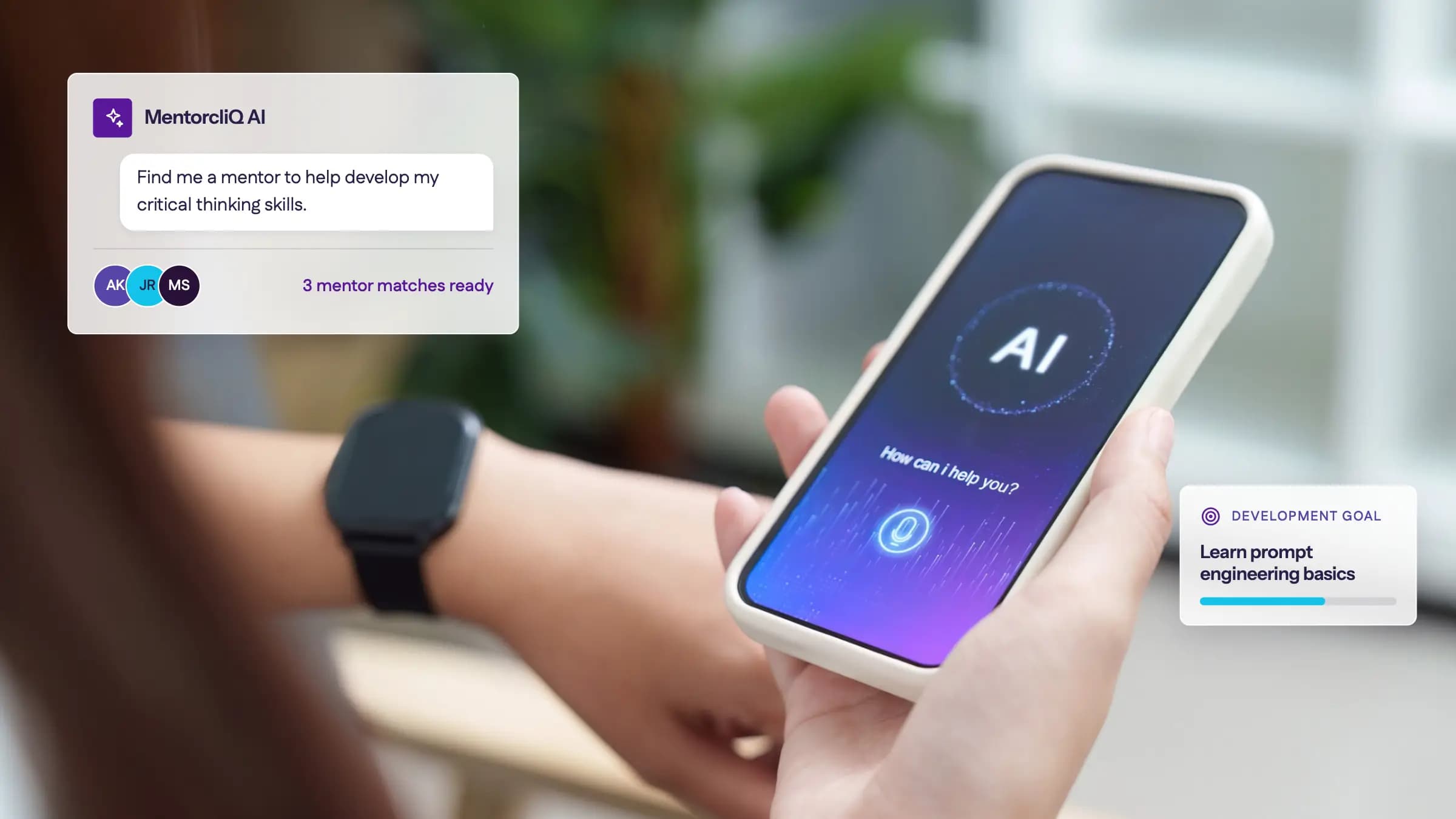
With MentorcliQ’s AI-powered mentoring software, you can match employees with knowledgeable mentors, build communities of practice, and track development progress, all in one place. The technology makes managing employee development easier, while your people do what they do best: collaborate together for successful outcomes.
Ready to make AI skills development a little more human? Book a demo today.
Modal