
Integration for Slack
Stay on top of your mentoring progress without having to stay on top of your inbox.
Receive your MentorcliQ notifications via Slack to access your program invitations, QuickcliQs, surveys and more.
What to expect from Slack + MentorcliQ
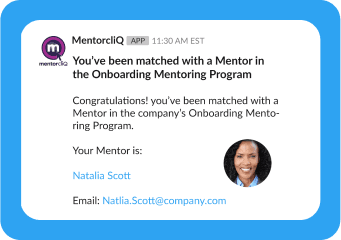
Connect with your mentor and mentee matches.
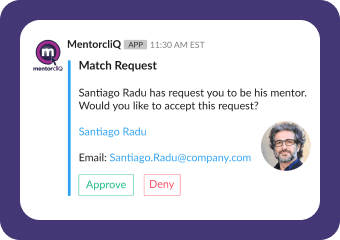
Accept or deny requests from potential matches.
Slack + MentorcliQ: Complete Set Up Guide
Requirements
- Your organization’s MentorcliQ Platform.
- Your organization’s Slack account.
- The MentorcliQ Integration for Slack add-on is enabled on your MentorcliQ Platform.
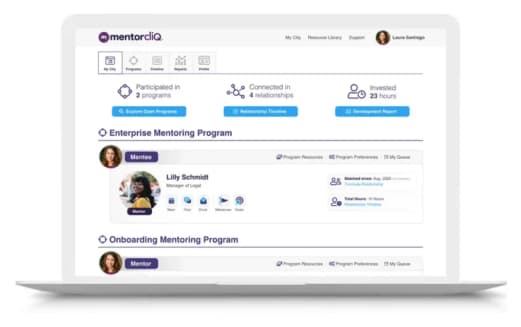
Integration Setup
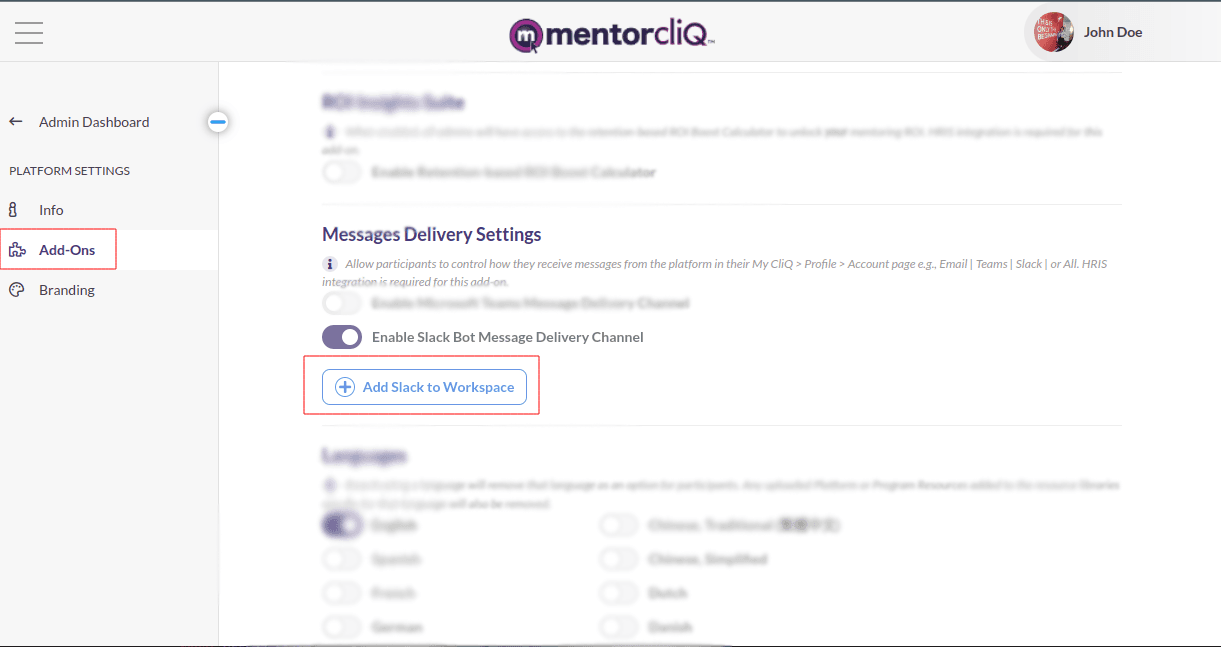
- As a Slack Administrator, navigate to the MentorcliQ Addons Page.
- Click on the “Add to Workspace” button to authenticate.
- Follow the steps to approve and configure the App for your Slack workspace.
Usage
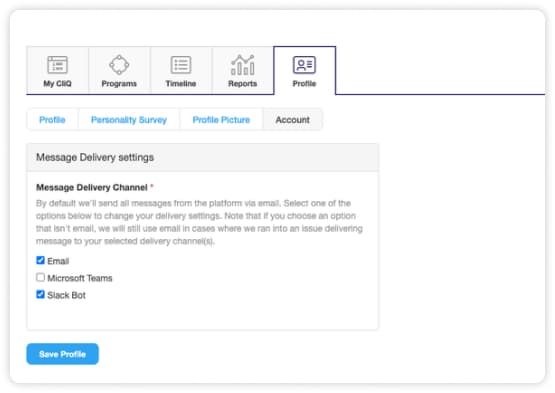
Participants can customize how they receive their notifications through their My CliQ > Accounts page and choose to receive their notifications via Email, Slack, and more. Once configured MentorcliQ will send notifications to the desired place for easy usage for participants.
Troubleshoot: Facing Issues?
If you face any technical issues with our integration for Slack or need any technical assistance, please contact us via email at support@mentorcliq.com.